Allocation List:
In Emami Allocation management plays an important role, User can only create PO from Allocation list, so before creating PO for ay PR user should make sure that particular PR should be allocated to contract or INFO Record or any other things.
1. Allocation page
2. Allocation List
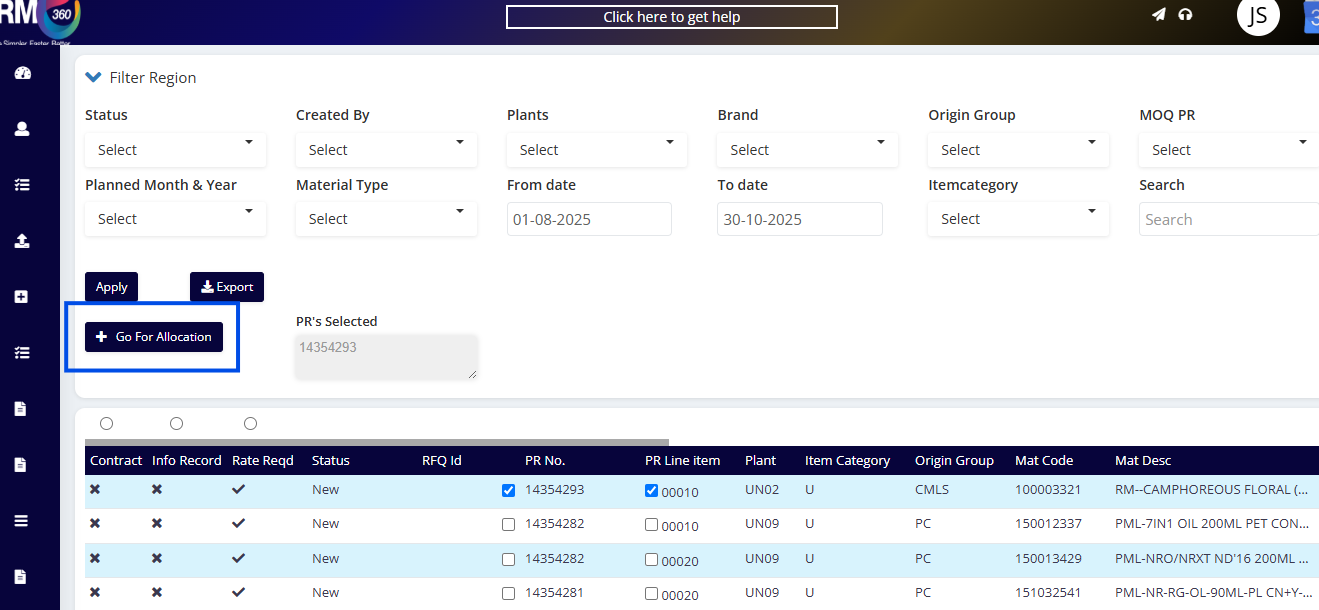
The user can select the PR and clicking on “Go for Allocation” from the PR management module.
The below screenshot represents Allocation page.
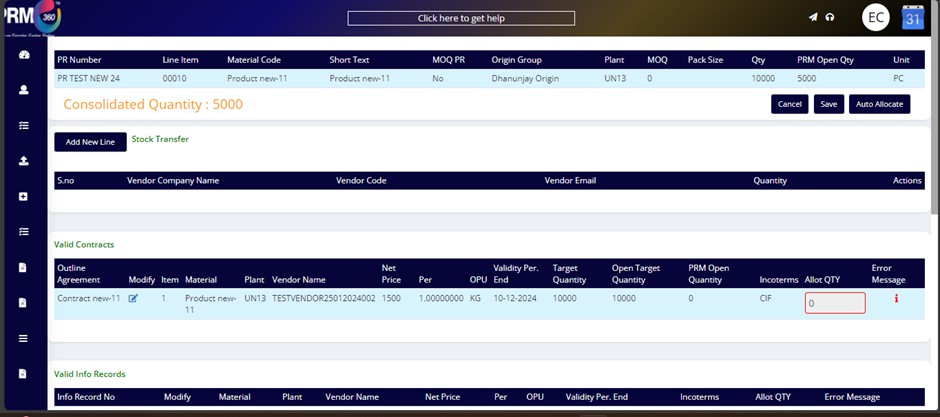
In Allocation page user have different sections and each sections have its own validation.
Let’s see all the use cases related to Allocation management:
Case 1: User should be able to go for allocation from PR page by select single or multiple PRs.
Case 2: User should be able to view valid contracts and invalid contracts for those particular products with respect to plant.
Case 3: User should be able to view valid INFO Records and invalid INFO Records for those particular products with respect to plant.
Case 4: User should be able view stock transfer section, where user can assign stock to unit vendors.
Case 5: User should not be allowed to allocate more than consolidated Qty.
Case 6: User should be allowed to go for partial allocation on if it is single line.
Case 7: User should get warning popup if allocated qty is lesser than MOQ and not an exact multiple of Pack size.
Case 8: User should not be allowed to allocate to any of the contract if PRM Open qty is 0 for that contract.
Case 9: If MOQ PR is YES system will not auto allocate for INFO records.
Case 10: System will auto allocate for INFO records according to quota limit.
Case 11: System should not restrict if user change qty manually after doing auto allocation.
Case 12: System will only allow to create allocation is selected PRs has same product, same unit and same MOQ PR.
Case 13: System will allow user to post RFQ from allocation page only if selected PRs or lines are of same origin group.
Was this article helpful?
That’s Great!
Thank you for your feedback
Sorry! We couldn't be helpful
Thank you for your feedback
Feedback sent
We appreciate your effort and will try to fix the article