Sub-Users:
Admin has access to create new users in the system.
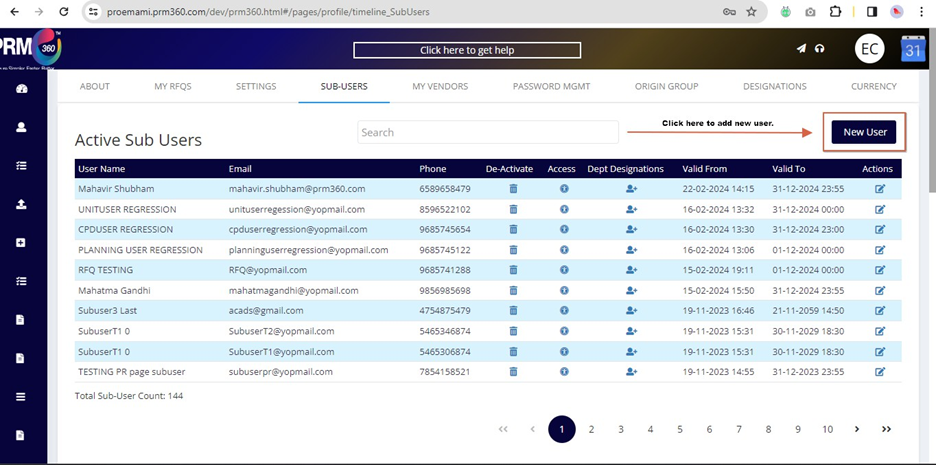
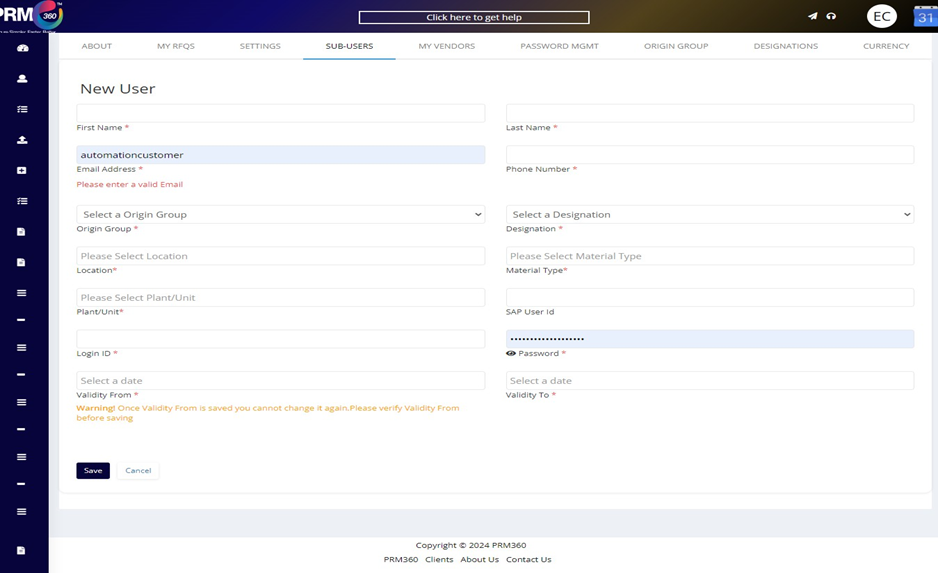
To create the new user, the admin can click on the add new user option as shown above. Once that option is selected the following form will appear.
While creating a sub-user, the admin should ensure that the sub-user has these three major parameters namely “Plant”, “Location” and “Material Type”.

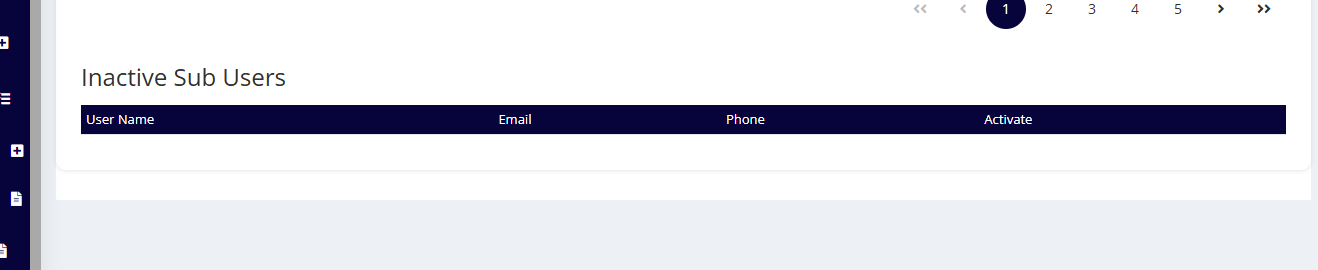
De- activate: On clicking the bin button the user will be deactivated, and the inactive users will be shown here.
Access: The permissions granted by the admin to users, allowing them to access the PRM360 system and perform transactions.
Department- Designations: To assign a department with the user designation.
Note: The user can map to multiple departments but not designation.
Action: Under this section, the admin can edit or update user details.
Was this article helpful?
That’s Great!
Thank you for your feedback
Sorry! We couldn't be helpful
Thank you for your feedback
Feedback sent
We appreciate your effort and will try to fix the article