No Regrate Bidding:
User can setup the no regret bid at the specific vendor level or entire requirement level by clicking the CB action near a specific vendor in the requirement. User will be navigated to the below counter Bid screen to configure the counter bid for the requirement.
Users can offer the revised counter unit price in the pink section of the table. Users can also view the lowest price offered in the requirement by all the participating vendors. Users can share their offers to vendors by keying the price the user wants to share.
Bid comments: The user should update the comments the user wanted to share with vendors.
Users can apply the same counteroffer prices to all participating vendors who have already submitted their quotes.
User should click on “Save” to publish the counter offer to the vendors.
If user clicks on the FREEZE button then the quotations received from the vendors would be freeze and vendors cannot modify any quotation post user freezes the quotation of the vendor.

When the vendor submits their final price, the VENDOR FREEZED PRICES messages will be displayed.

When a vendor submits their final price or user freeze the prices of the vendor, through UNFREEZE option user can unfreeze the bid and open vendors to resubmit their quotations
The below bid table would display the historical comments of the counteroffer w.r.to each vendor along with the historical prices submitted by vendor the respective
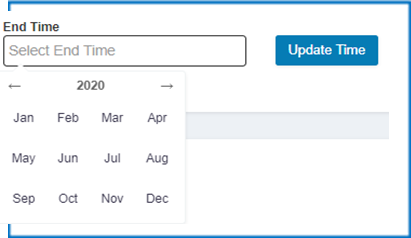
User can setup the end timer for the vendors to submit their revised quotations. Upon successful updating the end time. The timer would be running both and user end and Vendor end.
Highlighter: During the bidding process the vendor who makes the latest bid would be marked in GREEN color to help user quickly identity the last action performed by vendors
Bid Price: During the bidding process, user can review the running bid prices of the vendors to understanding the price reduction pattern to strategize the negotiation more effectively.
Was this article helpful?
That’s Great!
Thank you for your feedback
Sorry! We couldn't be helpful
Thank you for your feedback
Feedback sent
We appreciate your effort and will try to fix the article