SCHEDULING NEGOTIATION
Once all the quotations are validated, user can schedule the bidding process to initiate E-negotiation.

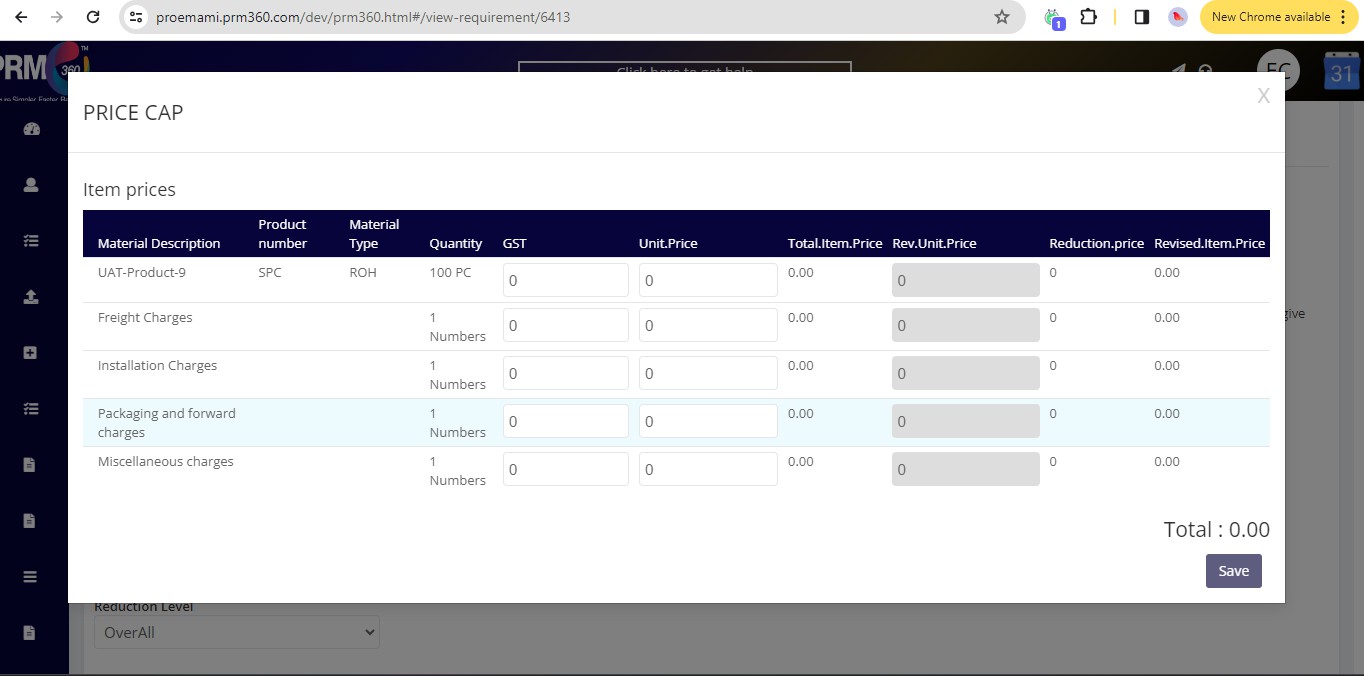
Req Type: User can setup the target price to the system by selecting the “Price Cap” option. This will enable system to consider this as a pseudo vendor to push all the vendors to go beyond the target price configured. It is strongly recommended to the
user to configure the target price more realistically to safeguard the sanctity of the negotiation process.
Bidding Type: The user can select the following bidding types to initiate e-negotiation
Reverse Bidding: The user can set up this negotiation methodology to enable all vendors to compete with each other in the time-driven environment and submit their best prices based on the position they currently stand in.
Counter Bidding: Users can setup this negotiation methodology to transact with vendors individually by setting up user counter offers. System will prompt vendors to submit their prices as per the counter offered by user during negotiation.
No Regret Bidding: Users can setup this negotiation methodology to receive the last and the best price from the vendors. The system will prompt vendors to state the last opportunity for them to submit their best prices.
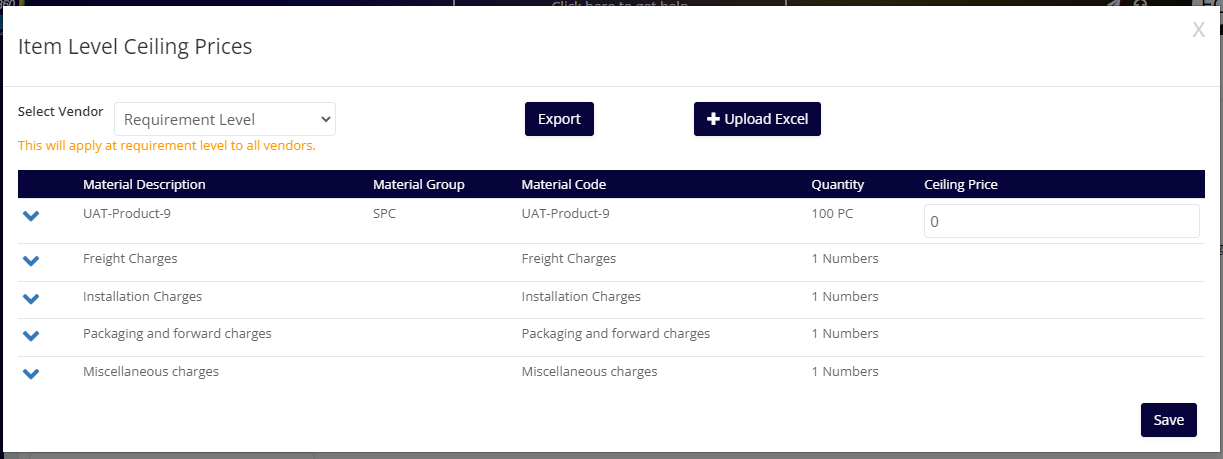
Ceiling Prices: The user can setup the ceiling limit for each the items part of the requirement process. This would mandate vendors to accept the prices before participating the negotiations. This would help user normalize the quotations and push them for better price reduction.
Was this article helpful?
That’s Great!
Thank you for your feedback
Sorry! We couldn't be helpful
Thank you for your feedback
Feedback sent
We appreciate your effort and will try to fix the article