PR Management Archive:
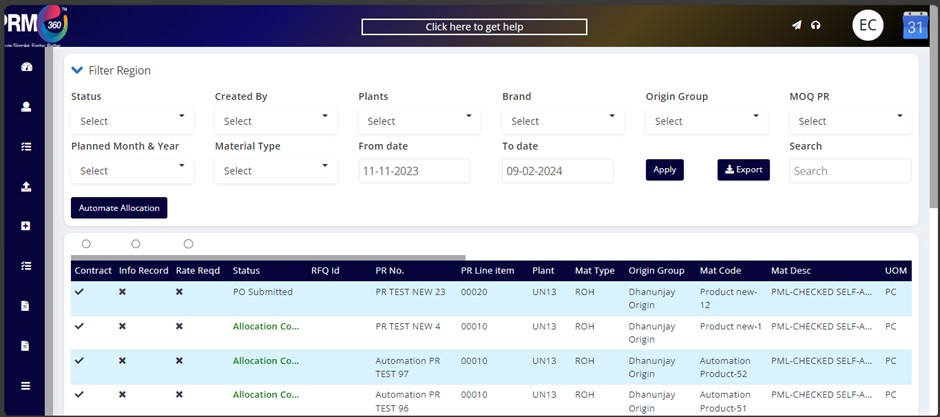
Whenever any PR is completely utilized and used for PO then particular PRs will be moved to the PR management archive page from the PR management.
In the PR MANAGEMENT ARCHIVE page, we have two types of filters
1. PO Submitted:
Whenever the user submits the PO from PRM then that PR will be in PO submitted status.
2. PO Release:
If the submitted PO got released from Emami ERP to PRM360 portal, then the system will read the response and make that PR to PO release status.
3. Delete:
Whenever the user deletes the PR from PRM then that PR will be in PO submitted status.
Search box: Search option can be used by the PR no. or item codes as well.
Export: All the PRs can be exported to excel file.
Was this article helpful?
That’s Great!
Thank you for your feedback
Sorry! We couldn't be helpful
Thank you for your feedback
Feedback sent
We appreciate your effort and will try to fix the article