Approvals:
The approvers can leverage this tab to check on the QCS that require their approvals to go through the PO conversion.
Pending by dropdown shown in the image below helps the admin to check on the dependencies of QCS approvals on the respective approvers. This dropdown likely provides a convenient way for the admin to manage and track pending approvals and their associated dependencies.
Pending Approvals
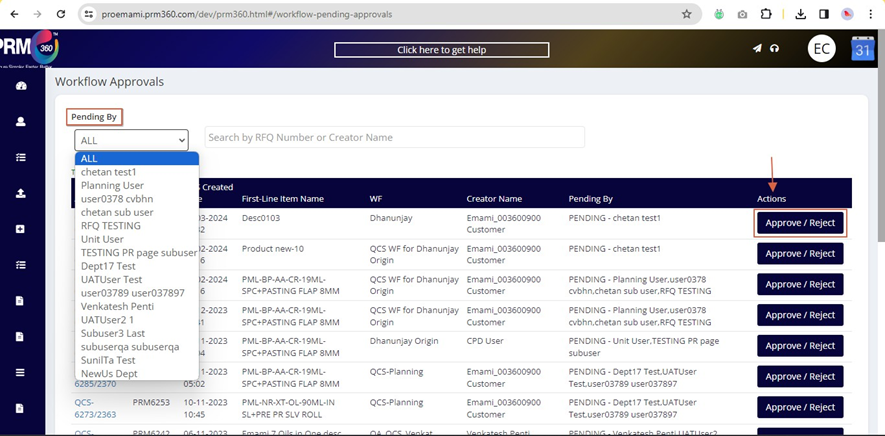
Once the approver clicks on the approver/ reject button under actions, they will be routed to the QCS page.
Approved QCS:
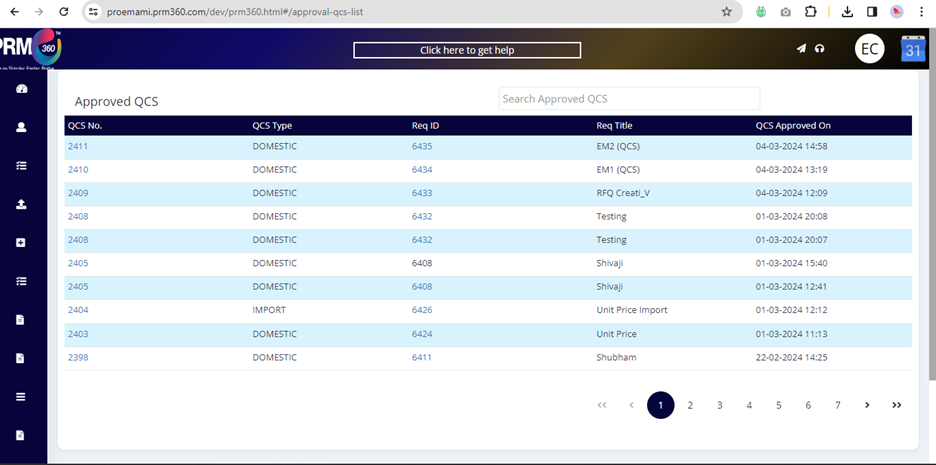
QCS that are approved can be seen under the approved QCS tab which QCS no. Req. ID, Req title, and QCS approved date details.
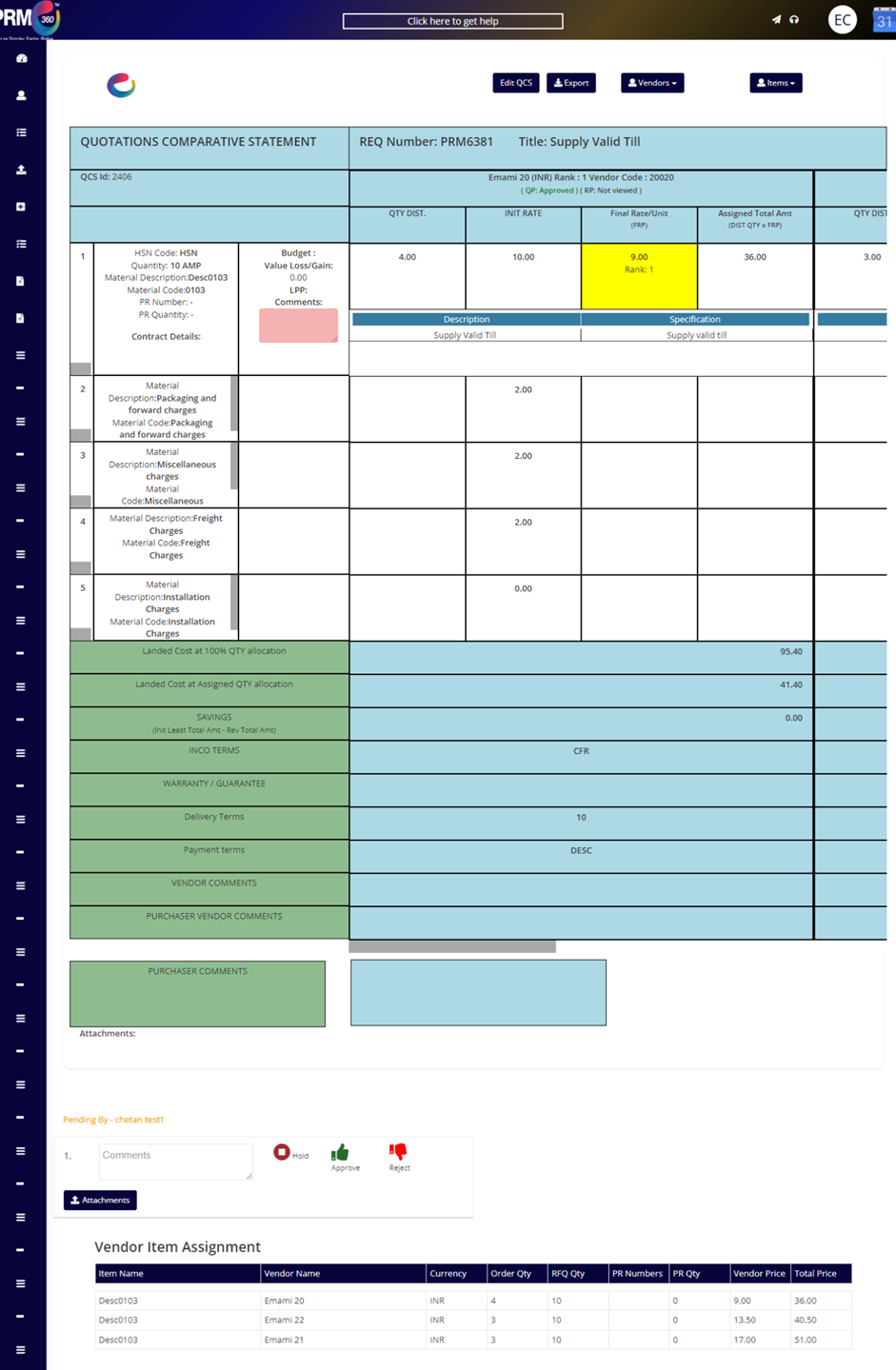
The approver must select any of the three icons in the image concerning the QCS details on the top.
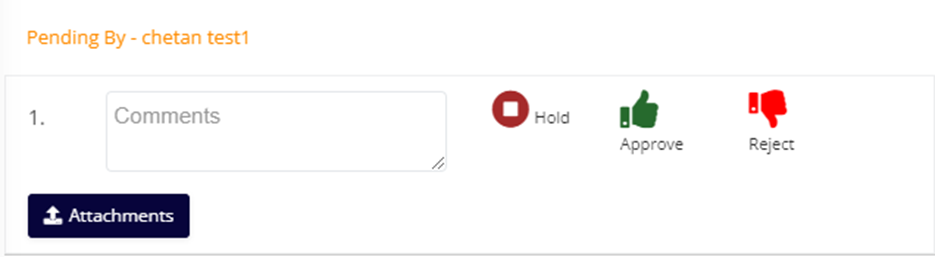
Hold - If the user clicks on hold, the QCS will remain on hold until the status is updated to approve. This option allows the approver to keep the QCS request on hold and check on the details further.
Approve - Once the approve option is clicked, another approver if any will receive the noti1cation to complete the approval process.
Rejected - To reject the QCS, approval must mention the reason in the comments box. Once the reject option is clicked, then the next approver will not be noti1ed further.
There is an attachments icon, that allows the approver to share any document for user reference.
Based on the actions performed by the approver the user can go ahead with PO creation or back to RFQ posting.
Was this article helpful?
That’s Great!
Thank you for your feedback
Sorry! We couldn't be helpful
Thank you for your feedback
Feedback sent
We appreciate your effort and will try to fix the article