Vendor Approve and inactive status.
When a vendor is added to PRM360, they will have a status assigned based on the user's selection, along with the vendor's SAP code.
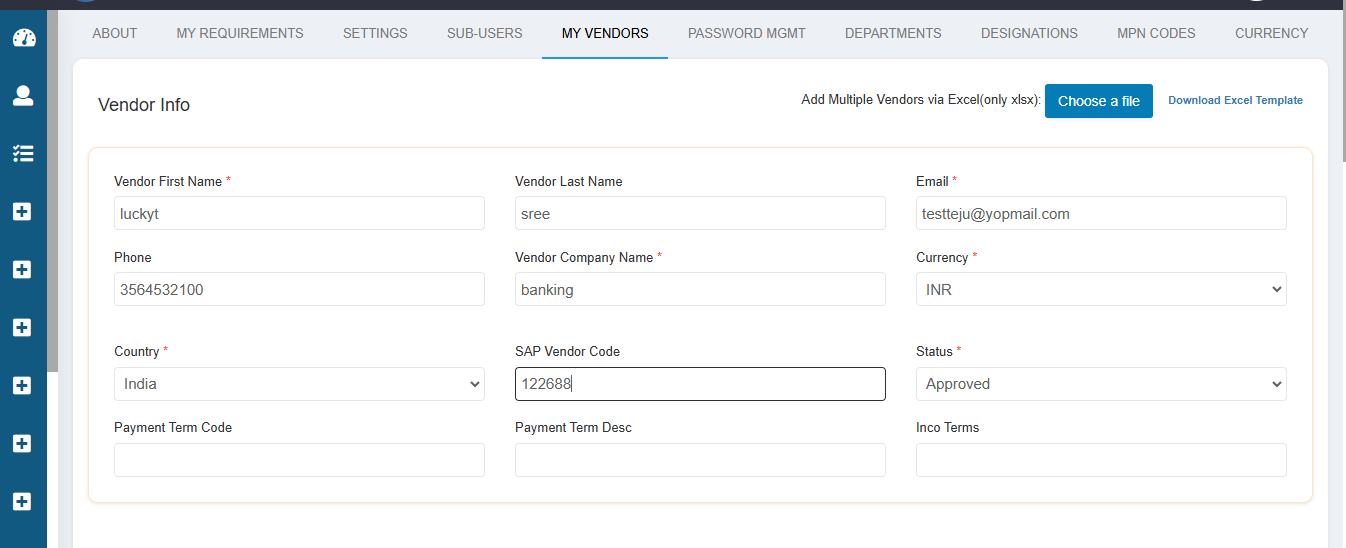
When a vendor is in approved status, they will automatically be set to active status.
If the user wants to deactivate a vendor, they can click on the actions bar, which will display a popup. The user can then select the desired status from the dropdown and click on "Update" to apply the changes.
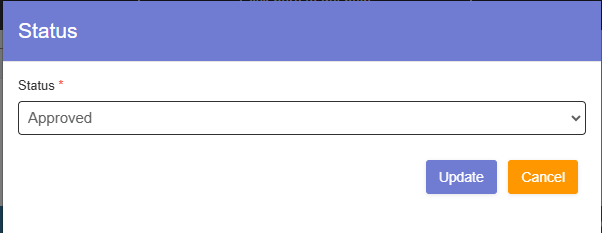
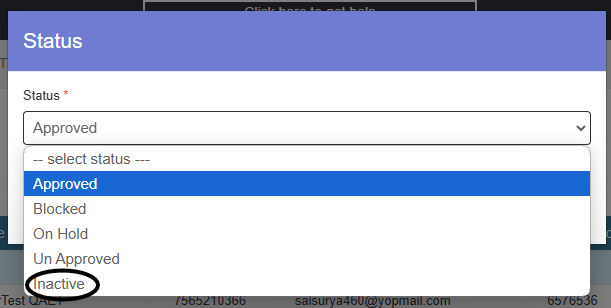
After clicking on "Update," the vendor's status will change to Inactive. This process allows us to deactivate a vendor in the system. A vendor is set to Inactive status when they leave the company.
Additionally, the system includes other vendor statuses:
- Blocked Status:
The user can block a vendor if they fail to deliver items on time, repeatedly deliver damaged goods, or provide poor-quality items. - On Hold Status:
This status is used when the user places the vendor on hold without approving or disapproving them. - Unapproved Status:
When a user creates a vendor but does not approve them, the vendor remains in Unapproved status.
Was this article helpful?
That’s Great!
Thank you for your feedback
Sorry! We couldn't be helpful
Thank you for your feedback
Feedback sent
We appreciate your effort and will try to fix the article